Automations
Real estate workflow automation for agencies
Pick a trigger, add steps and turn it on. Buyerbase sends the email, WhatsApp, push or app message and creates the task for you.
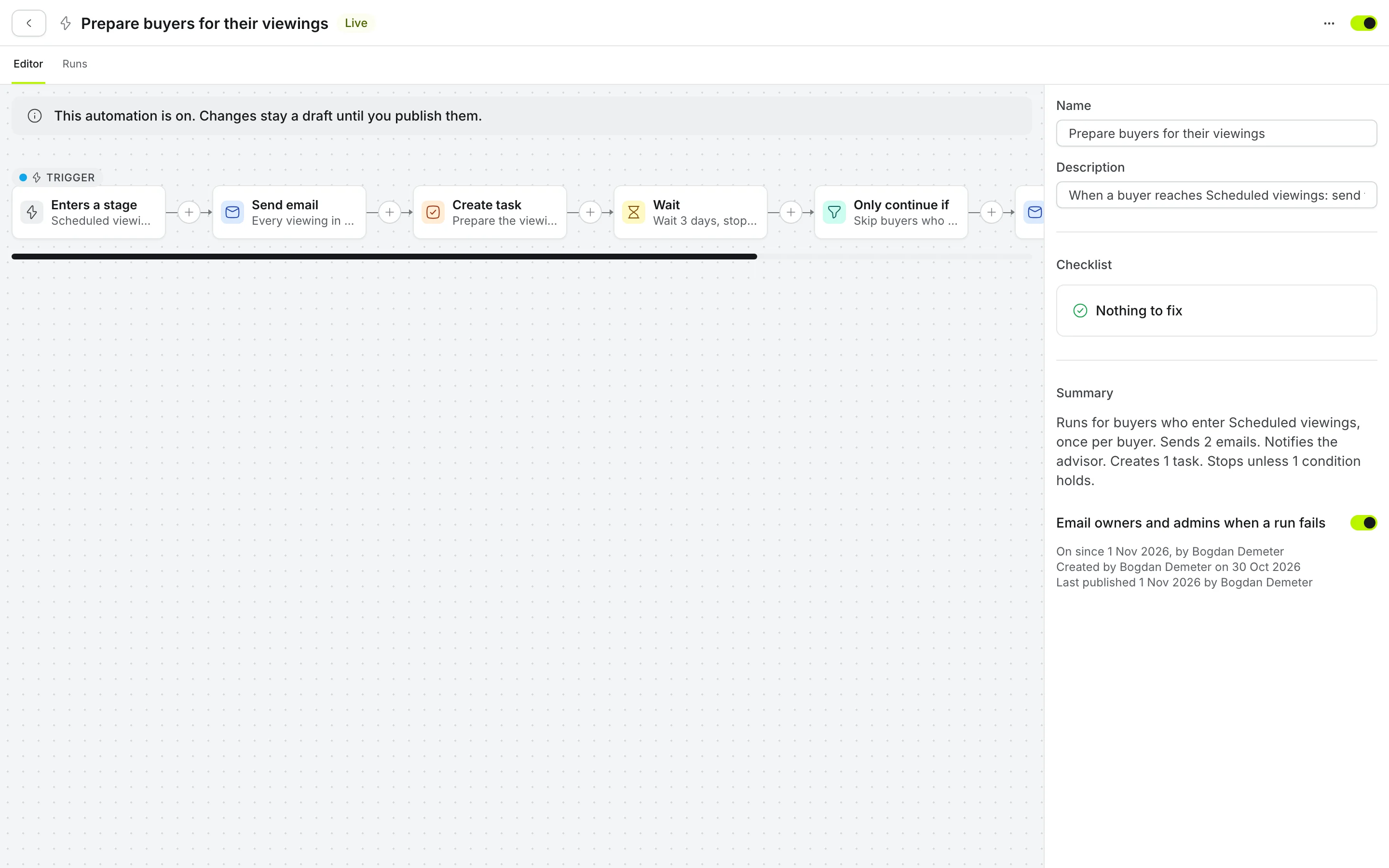
What real estate workflow automation covers
An automation is one trigger followed by steps, written once and run for every person it applies to.
Six triggers
An automation starts on one trigger: Person enters a stage, New house matches a search, A bid is won, A house enters a stage, Wwft check approved or Email received.
Steps for messages and tasks
Send email, Send in-app notification, Send push notification, Send WhatsApp, Notify the team and Create task. Under Email received there is also Bas writes the reply.
Waits and conditions
Wait for minutes, hours or days, up to 30 days. Only continue if stops the run unless up to 3 conditions hold, such as Person has an email, House is known, Person's stage is or Field is.
People pipeline stages
Attach an automation to a stage of the pipelines for buyers, sellers, tenants, landlords and employees. Run it once per person or each time they enter the stage, and optionally only when they come from a chosen stage.
Properties board stages
Start an automation when a house enters Bidding, Bidding ended or Sold on the Properties board. Choose who gets it: buyers with a viewing, buyers who bid, buyers who saved the house, buyers whose search it matches, or the buyer who bought it.
Run history and control
Each automation has a Runs tab with a status for every run and every step, and a Retry for a failed step. Changes stay a draft until you publish them, and you can turn an automation off at any time.
How it works
How to set up workflow automation
- 01
Choose a trigger
Start from scratch, from a Buyerbase starter or from a template you saved. Pick the trigger and the stage, search or board stage it watches.
- 02
Add the steps
Build the path from left to right. Preview a message as a chosen person, send a test to yourself and clear the checklist before you turn it on.
- 03
Turn it on and follow the runs
Turn the automation on and follow each run in the Runs tab. You can also switch on an email to owners and admins when a run fails.
Who runs workflow automation
Owners and admins write the automations. Advisors and clients feel the result.
Owners and admins
Only owners and admins can create and change automations. Each one shows its status, its runs of the last 7 days and who published it.
Advisors and their team
A step can notify the person's advisor, all owners and admins or a named member, in the app or by email. Create task puts a task on the person's record, shown as From automation.
Clients with a portal account
Buyers, sellers, tenants and landlords receive the messages in your agency's name. Each person can switch agency messages on or off in the portal under My profile, in Notification settings.
Questions about real estate automationShort answers.
What can I automate in a real estate CRM?
Can I send WhatsApp messages automatically?
Can an automation start when a client emails me?
Can I see what an automation did and stop it?
Ask Bas
AI assistant for real estate agents that knows your data
An AI assistant that answers from your own data and proposes changes you confirm first.
Lead generation
Real estate lead generation and capture
See your Meta campaigns and bring ad, form and website leads into Buyerbase as people.
Agency website
Real estate agency website builder
Your agency's own website with an editor, an AI builder and forms that create people in the CRM.
Start free today
Everything included, no card until your first sale. Or talk to sales and we will show you around.