Client portal
White-label client portal for real estate agents
Invite a buyer from their record. They get a portal with your logo and colours to set their search, react to houses, request viewings, upload documents and sign.
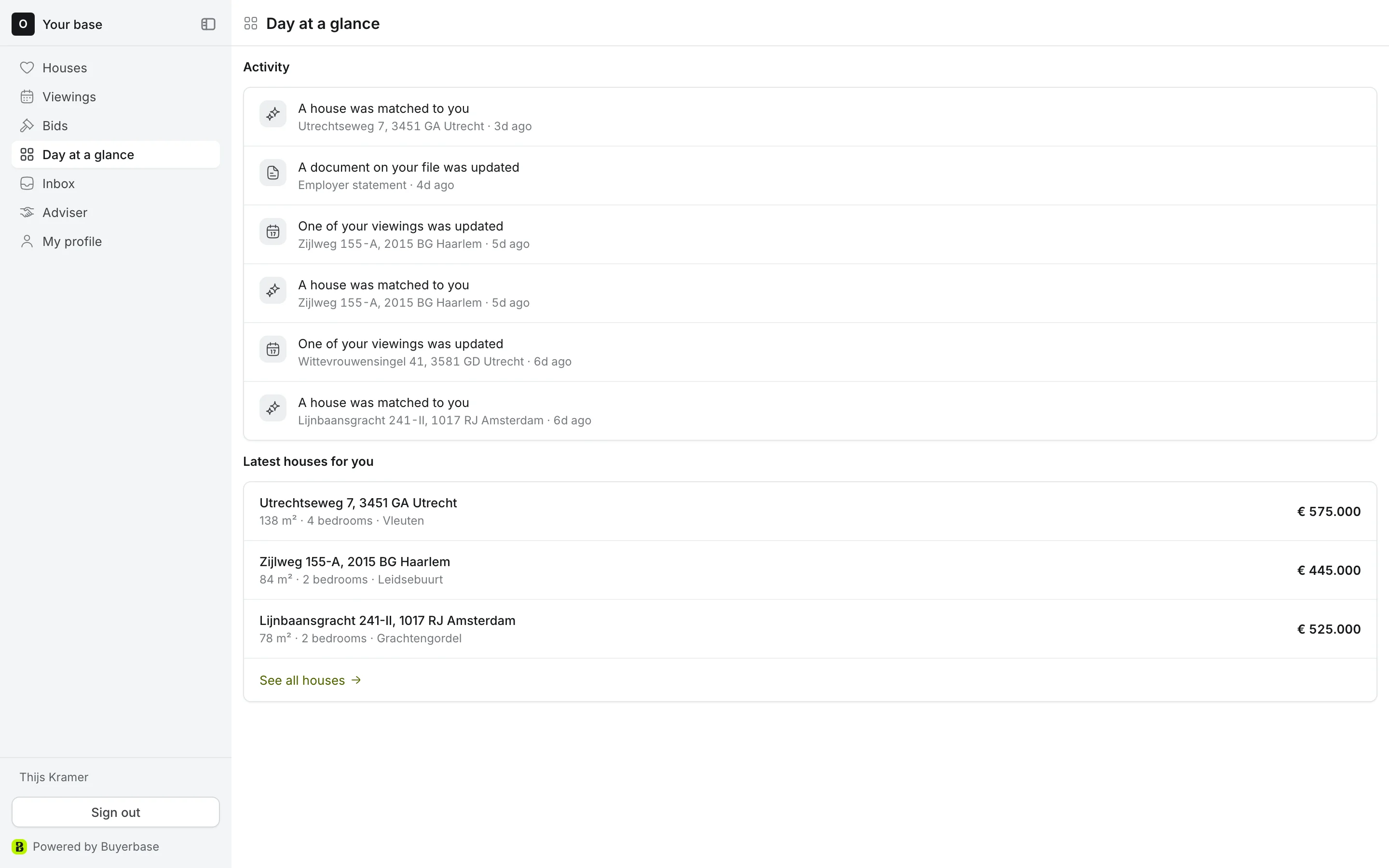
What buyers do in the client portal
One place for a buyer's search, houses, viewings and documents, shared with their advisor.
A first login in five steps
A buyer without a search is sent through five steps: type, location, requirements, details and Let's go. The last step saves their first search, their name and their mobile number, then opens Houses.
Houses to save or pass on
A buyer saves a house or says Not for me and gives the reason. The agency sees these signals on the buyer's record, and they count in the match with the buyer's preferences.
Preference sets
A buyer keeps up to three named searches. A house matches if it fits any of them, and the agency matches on the same searches.
Viewings and house notes
A buyer requests a viewing, adds a note to a house that everyone at the agency working on it can read, and adds a confirmed viewing to Google Calendar, Outlook or Apple Calendar.
Documents, signing and advisor
A buyer uploads the documents the advisor asks for, sees which are approved, and signs the opdracht tot dienstverlening in the portal. They can also invite their own mortgage advisor and choose which documents that advisor sees.
Your logo, your colours
The portal shows your agency's name, logo and brand colour, in Dutch or English, and you can hide the Powered by Buyerbase line.
How it works
How the client portal works
- 01
Invite from the record
Choose Invite to portal on a person's record. They get an email from your agency with a link to their portal, and can sign in with a link or set a password.
- 02
The buyer sets up their search
At first login a buyer without a search goes through five steps and lands on Houses. The welcome page lists the rest: details, documents and preferences.
- 03
Your agency follows along
Signals appear on the buyer's record, notes in the activity feed and viewing requests as notifications. Buyers can also ask a question about a house.
Who uses the client portal
Buyers first, and the other people an agency works for.
Buyers of a buying agent
Buyers keep their search, houses, viewings, documents and agreements in one place, shared with their advisor.
Sellers
A seller sees My house: where the sale is, viewings, bids and documents. Buyers' names are not shown.
Tenants and landlords
A tenant sees My rental with the lease and invoices. A landlord sees My letting with the tenant, the tenant's invoices and the payment details.
Client portal questionsShort answers.
Can buyers sign the fee agreement online?
Do sellers, tenants and landlords get a client portal too?
Can a buyer install the portal on their phone?
Can a buyer ask to have their data deleted?
Reports and sales
Reporting software for real estate agencies
Reports on closings, revenue, pipeline speed and lead sources, with CSV export and sales per employee.
Data import
Real estate CRM import from Kolibri, Yes-co and Realworks
Move your people from Kolibri, Yes-co, Realworks, HubSpot, Pipedrive or a CSV file, once.
Integrations and API
Real estate CRM integrations: mail, calendar, ads and API
Connect your own mailbox, calendar, WhatsApp, ads accounts and Stripe, or use the API and MCP.
Start free today
Everything included, no card until your first sale. Or talk to sales and we will show you around.