Viewings
Viewing scheduling software for real estate agents
Plan every viewing in one agency calendar. Buyers see their times in the portal and get reminders and a viewing pack, and the advisor files a report afterwards.
What viewing scheduling software does
One calendar for the whole agency, with the buyer's side built in.
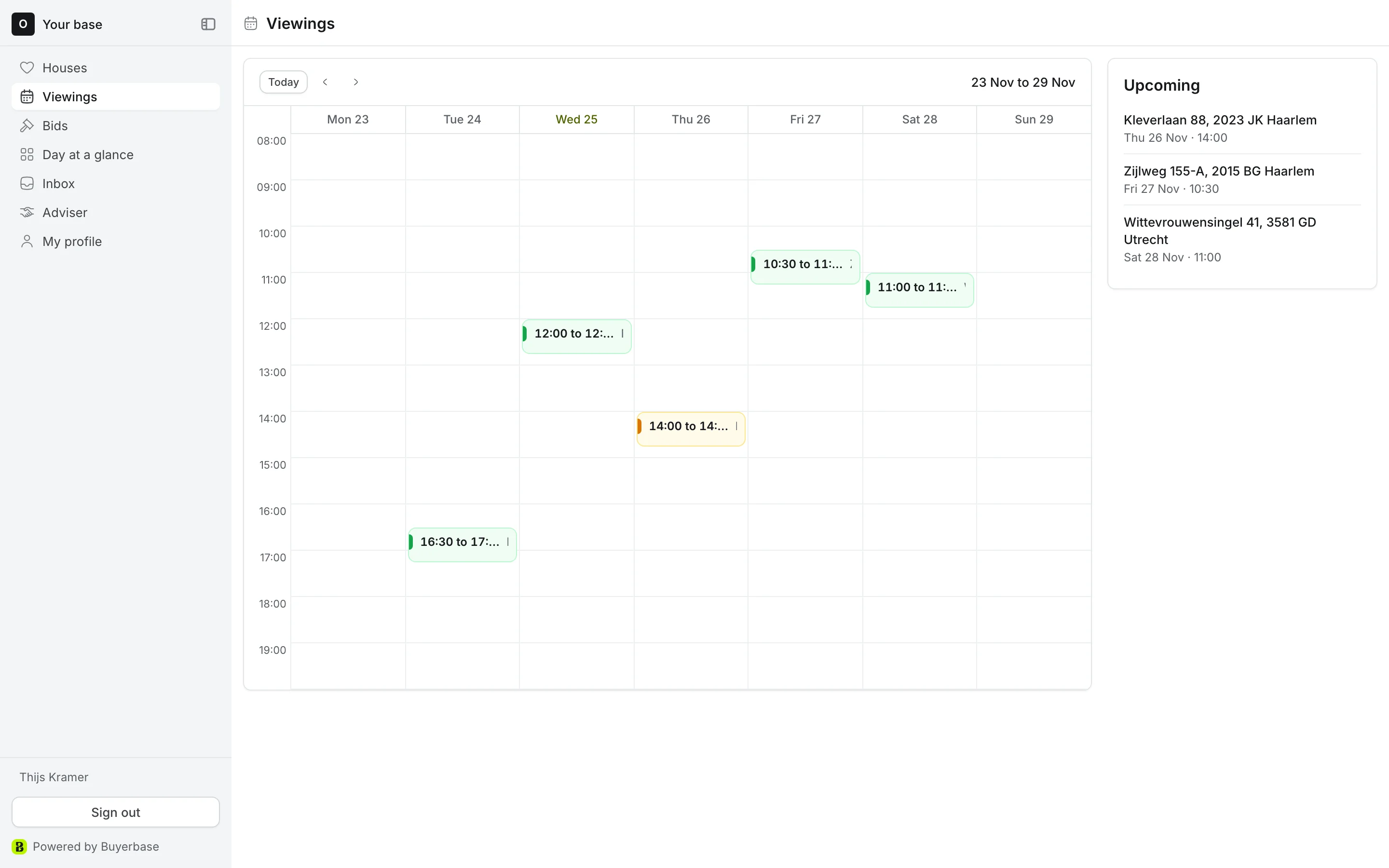
Agency viewings calendar
See viewings in week, day, month or list view and filter by advisor, person, house or status. Drag a viewing to a new time, confirm, and the buyer gets an email with the new time.
Schedule viewing dialog
Pick a house, one or more buyers, a start time and a duration between 15 and 240 minutes. Round robin gives each buyer the slot after the one before, and each buyer sees their time in the portal straight away. One at a time offers only the first buyer a time and holds the others back until you set a time for them.
Requests and appointments
Buyers request a viewing from a house in their portal, and the request waits in your notifications to schedule or decline. You can also add an appointment with a person or the office, such as an intake.
Viewing reminders
Buyer and advisor each get a reminder 24 hours and 2 hours before, and a moved viewing gets new ones. Buyers get them by email, or on WhatsApp once your agency connects its own WhatsApp Business number and the buyer verifies their phone.
Viewing pack and report
The 2-hour reminder links the buyer to a viewing pack with a route from their home, house facts, a checklist and the advisor's notes, as a page and a PDF. The advisor's reminder links to the report form for condition, noise, light, the buyer's reaction, follow-up and photos.
Google Calendar sync
Each employee can connect their own Google Calendar. Viewings appear there as events, a move or delete in Google comes back to Buyerbase, and with the busy check on, a slot where your calendar shows busy is refused.
How it works
How viewing scheduling works
- 01
Schedule the viewing
Open the calendar, choose Schedule viewing and pick the house, the buyers and the times. The times show in each buyer's portal straight away.
- 02
The buyer sees it and adds it
The buyer sees the viewing in the portal and can add it to Google Calendar, Outlook or Apple Calendar. A buyer can also subscribe to a private calendar link or connect Google Calendar.
- 03
Visit, report and follow up
Reminders go out before the viewing. Afterwards the advisor files the report, and the buyer can read it in the portal.
Who uses viewing scheduling
Agencies that run many viewings across several advisors.
Advisors
Plan viewings for a buyer across several houses, keep them in step with your own Google Calendar and file the report from your phone right after the visit.
Owners and office managers
Owners and admins see the viewings of the whole team and filter by advisor. Employees see their own viewings, unless they are allowed to see the whole team.
Buyers
Buyers see upcoming and past viewings in the portal, get directions, can ask to cancel a viewing and read the report afterwards.
Questions about viewing schedulingShort answers.
Can buyers add viewings to their own calendar?
Does viewing scheduling sync with Google Calendar?
Can I send viewing reminders by WhatsApp?
What is in a viewing pack?
Bids and closing
Bid management software for Dutch buying agents
Log bids per house, share a koperspakket with consent and follow every deadline to the notary.
Contracts and e-signing
Contract e-signing for real estate agents
Write contract templates, send them to several signers and let buyers sign in their portal.
Invoicing and payments
Invoicing software for real estate agencies
Create invoices, send them with a PDF, take iDEAL and card payments and draft rent and fee invoices.
Start free today
Everything included, no card until your first sale. Or talk to sales and we will show you around.